Registration
How To Register for the Symposium:
To register for both ICIS and the Symposium, please visit the ICIS 2024 registration webpage.
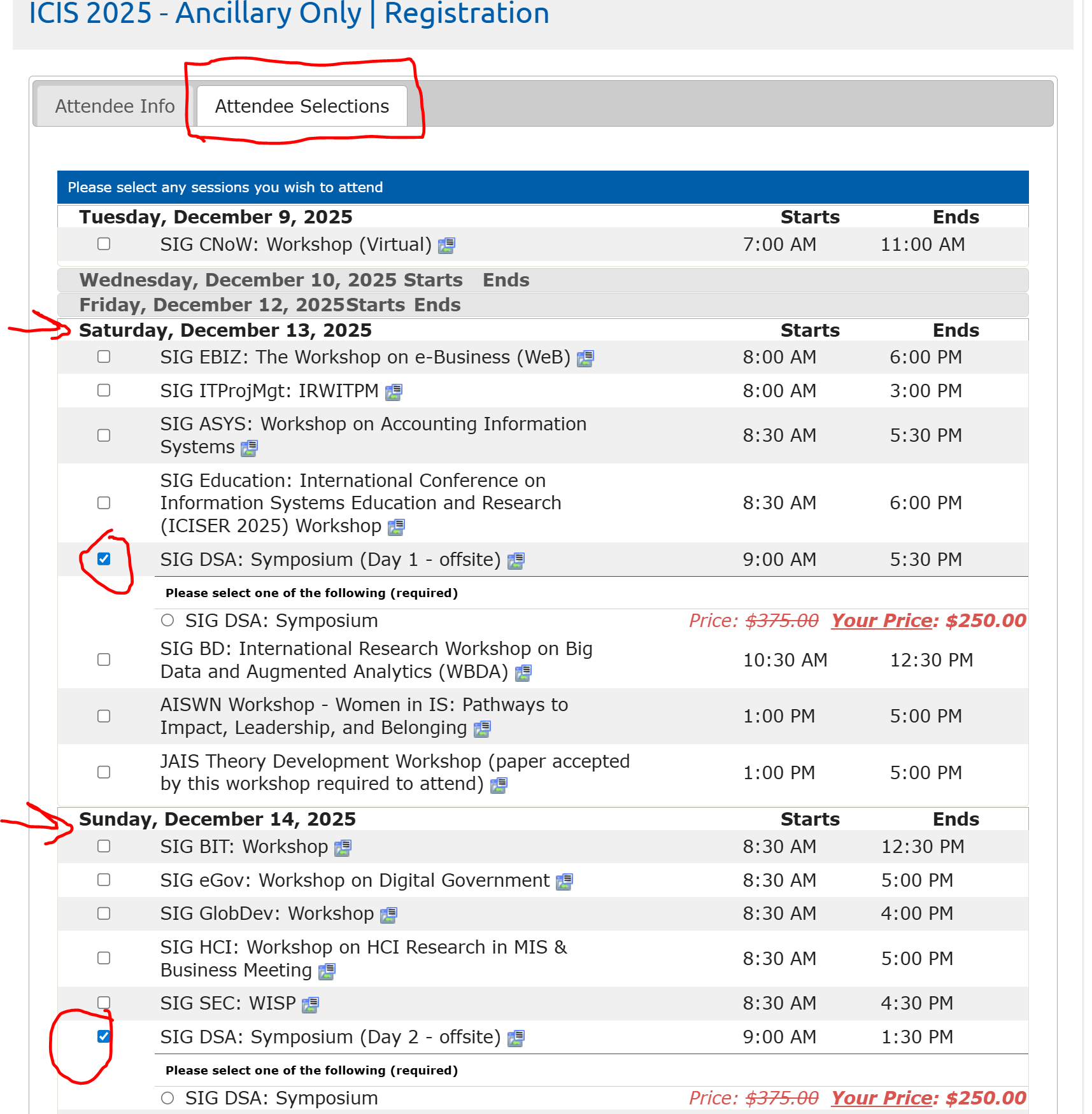
If you would like to register for an ancillary only event (such as that of SIGDSA event only), you need to follow the below given steps (in a chronological order).
- First, please visit this link and login to your AIS Account
- Second, please visit: AIS Webpage
- Third, the page that shows up after the clicking the link above has "Register" button in blue. Click it. It will take you to a new window. Select the tab called "Attendee Selections". It will present a bunch of days and dates. Select Saturday and SIGDSA under it and then, Sunday, and SIGDSA under it. SIGDSA takes place over one and a half days. Registrants must select both days. You will see the rates that apply for you and you can check out. Although the fee is listed separately for each day, it is applied only once when you check out.
PRE/POST Conference Workshops
If you would like to register for only ancillary events, please visit https://icis2024.aisconferences.org/events/ancillary-meetings-and-call-for-papers/.
*Please note that you must be logged in as a member to view the member rates otherwise non-member rates will apply.
If you have previously registered online for the conference, you may ADD A WORKSHOP to your full conference registration. Learn more about additional workshops and how to modify your registration at https://icis2024.aisconferences.org/events/ancillary-meetings-and-call-for-papers/.
We would like to remind the authors (of the accepted papers) that at least one author must register for the Symposium by the regular registration deadline.
While all presentations must be in-person, there are several virtual offerings to attend several sessions of the symposium/conference.
Note: More information on important dates can be found here .