


Registration
You do not need to register for the full ICIS conference to attend the Pre-ICIS SIGDSA Symposium. You may register for the ancillary-only event (only) and select the SIGDSA Symposium during the registration. Please note that registering for the full ICIS conference alone does not grant access to the Pre-ICIS Symposium. You must also register for the ancillary-only event and select the SIGDSA Symposium.
How To Register for both the ICIS Conference and Symposium:
To register for both ICIS and the Symposium, please visit the ICIS 2026 registration webpage.
Registration of Ancillary Workshops Only
To register for the SIGDSA 2026 ancillary workshop only, such as the pre-ICIS SIGDSA Symposium, follow the steps below. Detailed registration instructions are provided for each step.
Step 1: Visit the AIS Member Portal
To begin the registration process, visit the AIS Member Portal and log in using your AIS member account.
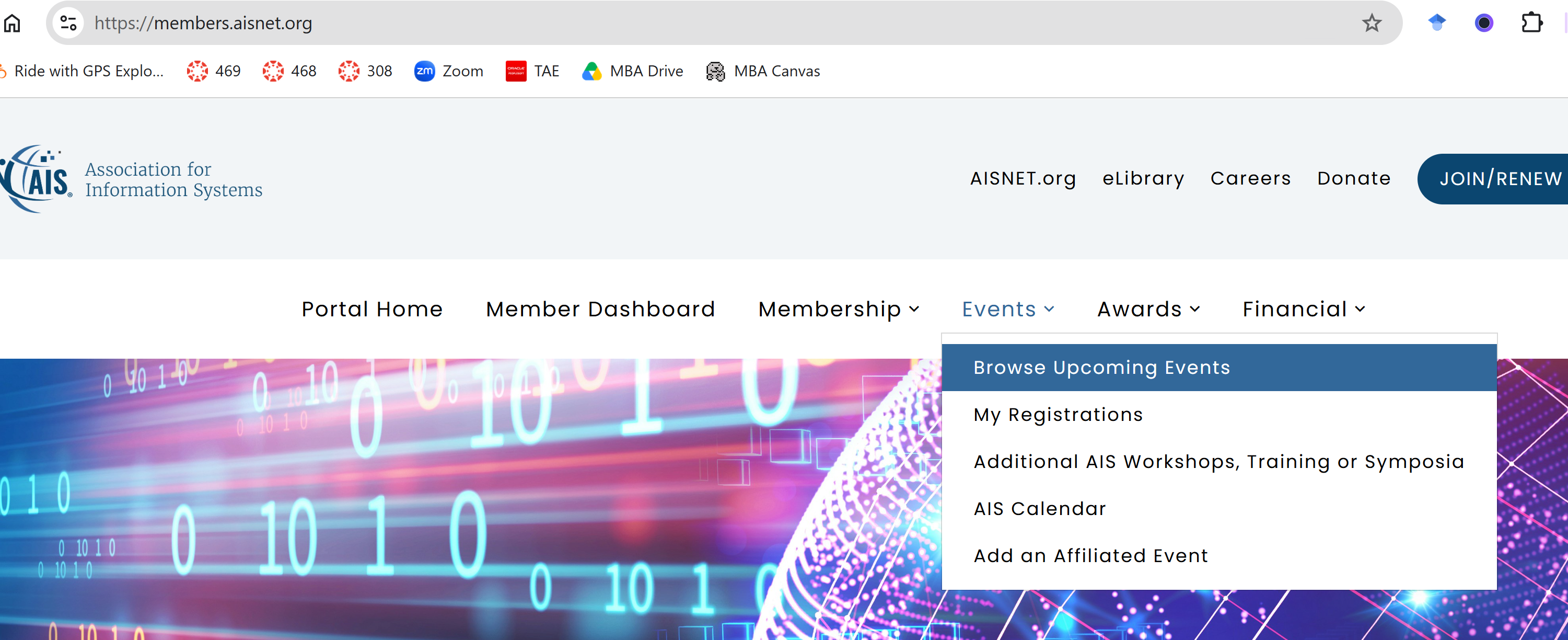
Step 2: Select “Events” and “Browse Upcoming Events”
After logging in, click “Events” and then select “Browse Upcoming Events” from the dropdown menu, as shown below. If you don’t see the Events tab on your page after logggin in the AISnet, please come back to this page and go directly to Browse Upcoming Events .
Step 3: Select “ICIS 2026: Ancillary Only”
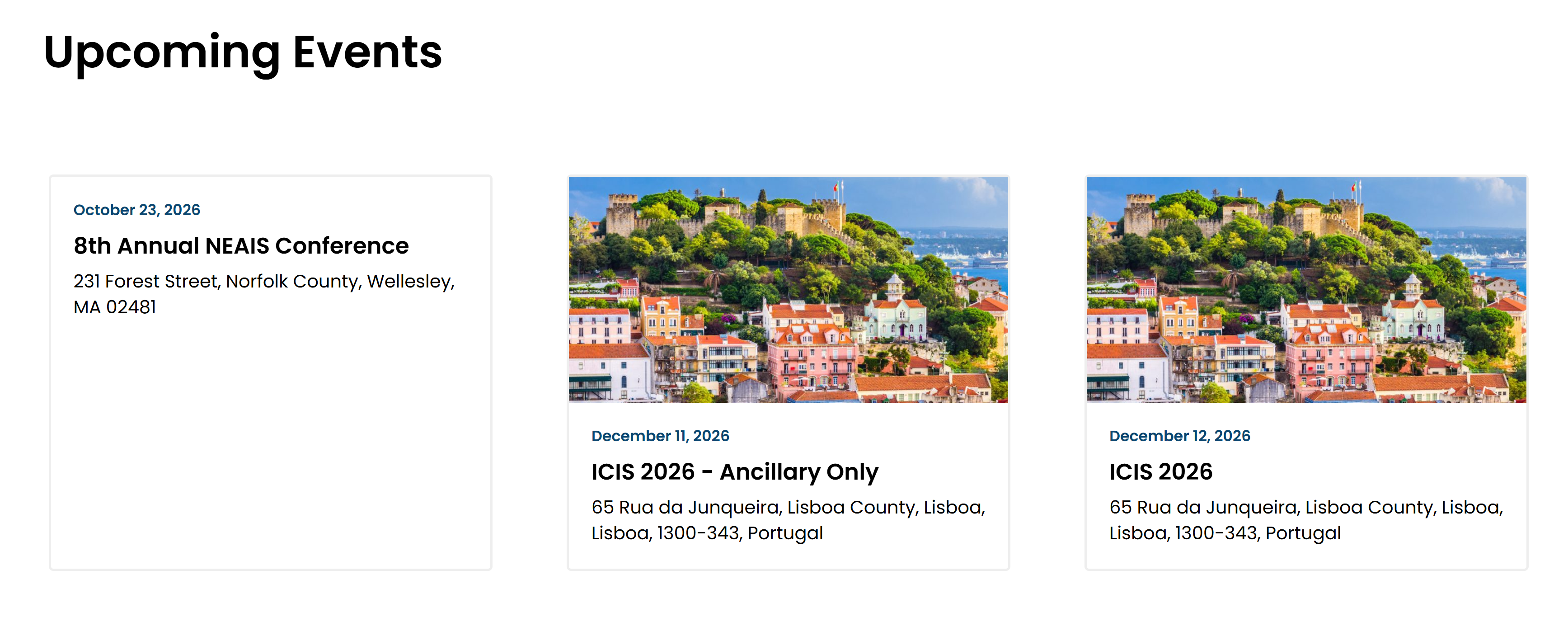
From the list of upcoming events as shown below, select “ICIS 2026: Ancillary Only.”
Step 4: Click “Register Now”
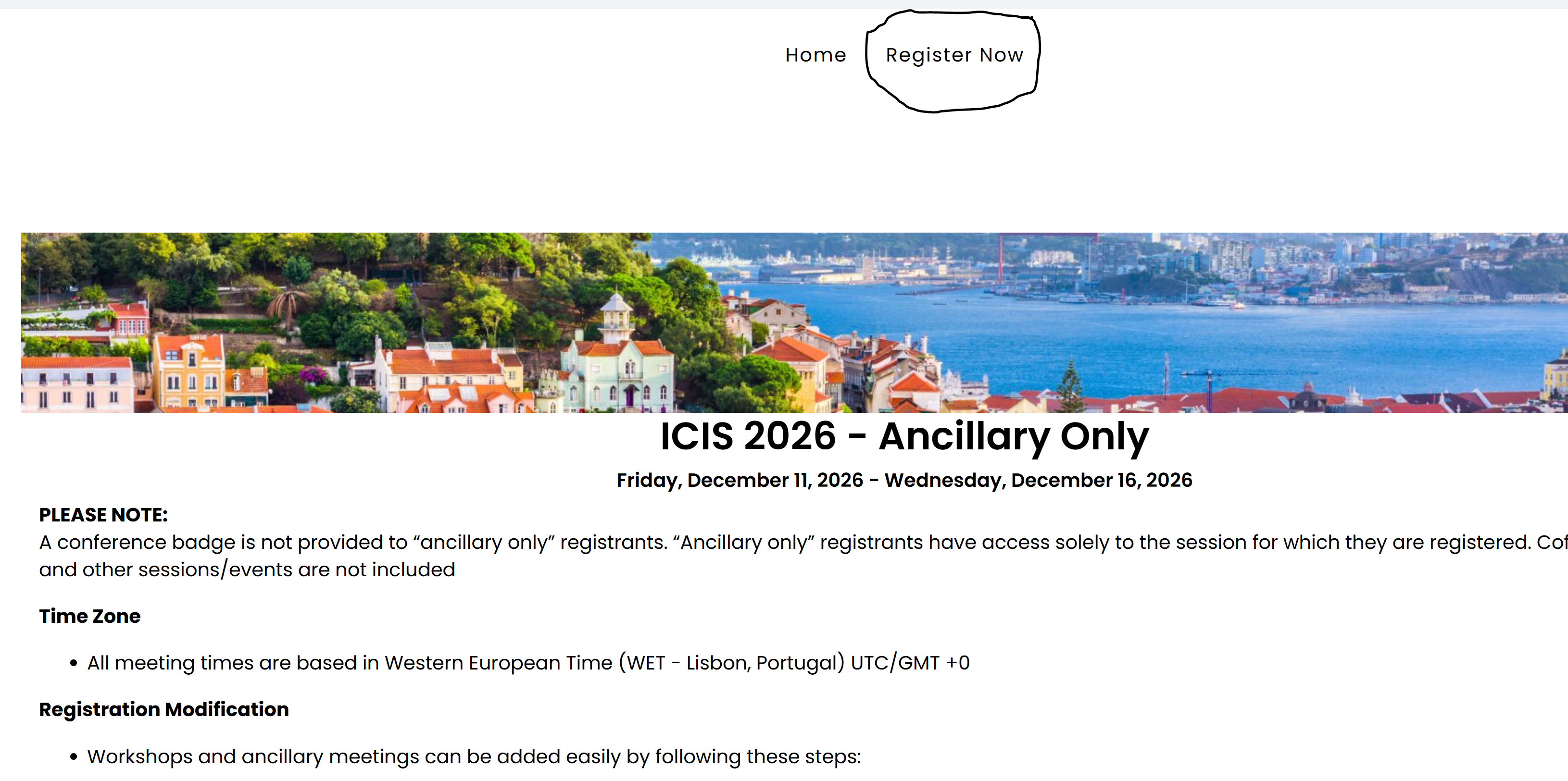
On the event page, click “Register Now” at the top of the page (as shown in the screen below).
Step 5: Select the Ancillary-Only Package
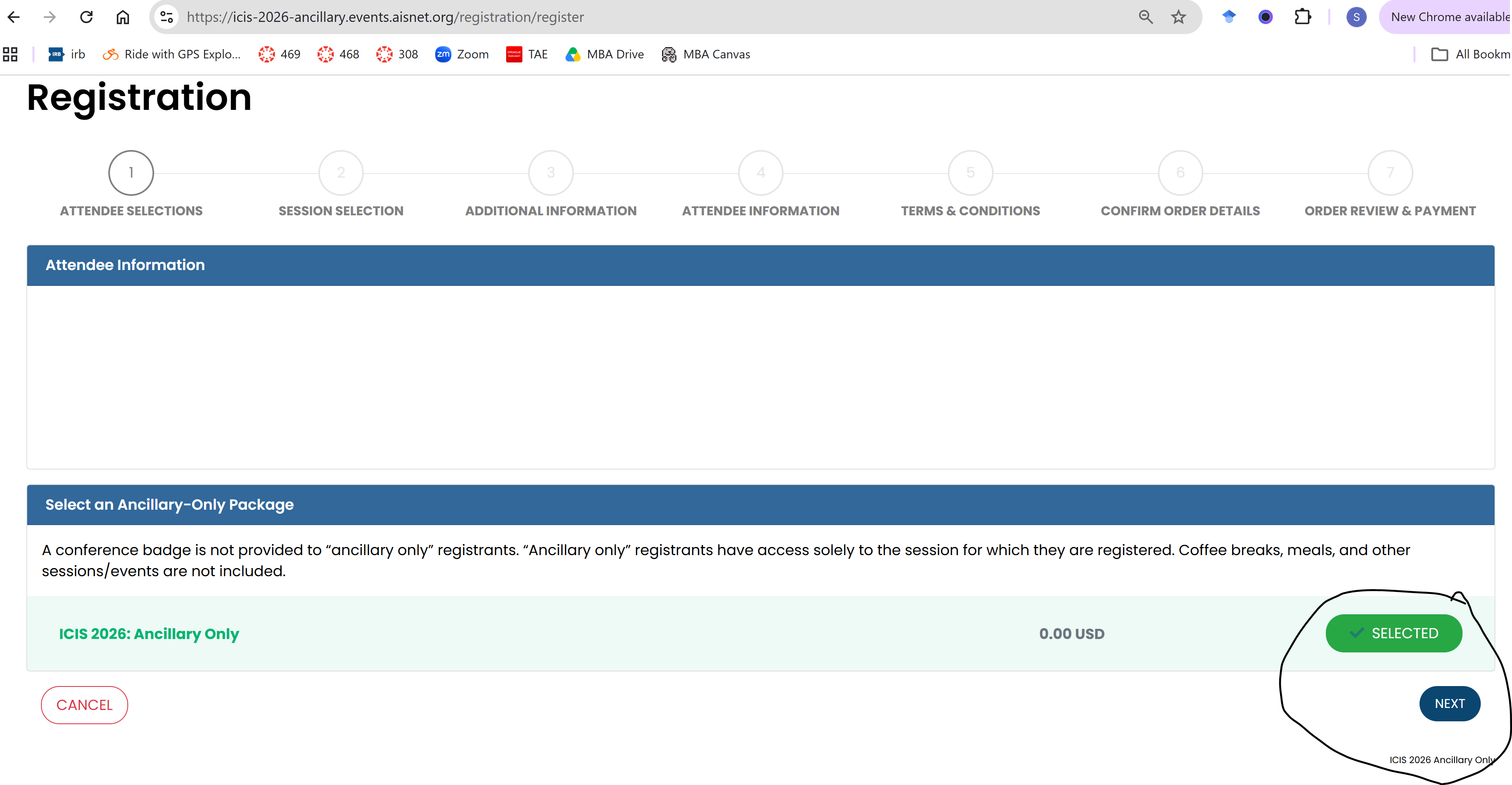
On the registration page, select “ICIS 2026: Ancillary Only” and then click “Next.”
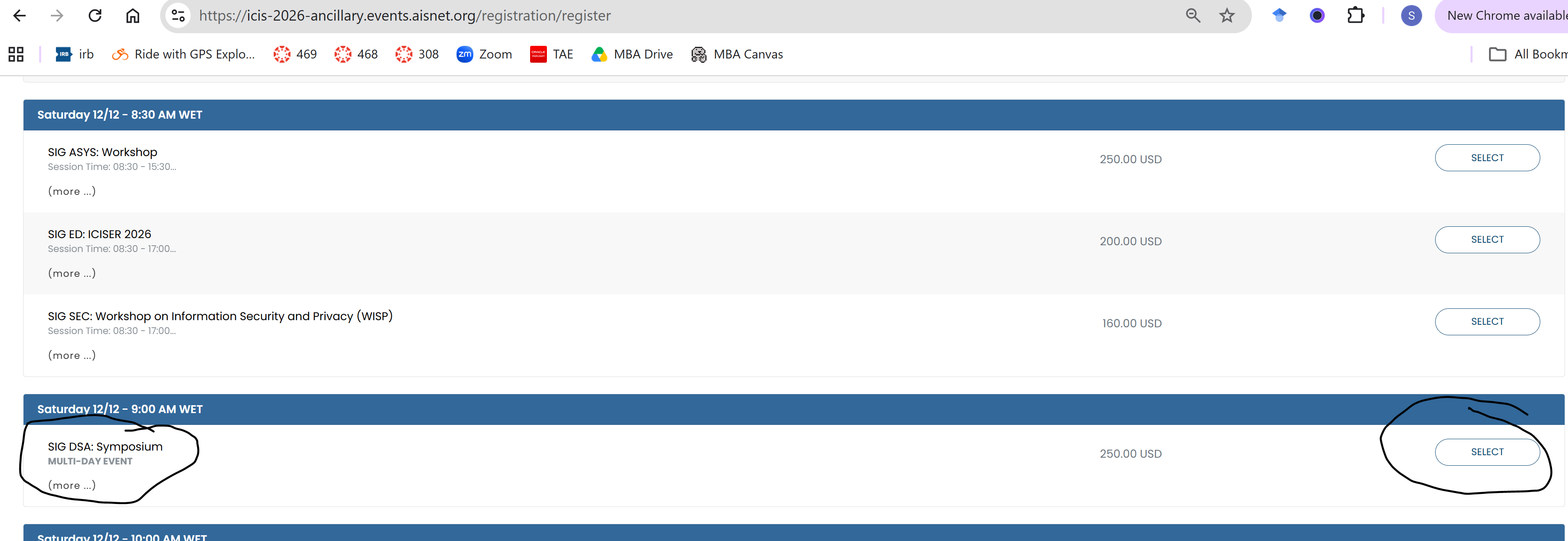
Step 6: Select the SIG DSA Symposium
On the session selection page, locate “SIG DSA: Symposium” and click “Select.” See screenshot below for an example. Click NEXT.
Step 7: Keep Clicking Next till your checkout
After step 6 mentioned above, you can keep clicking "Next" button by filling out the form presented to you on the respective screen. This will allow you to make the payment and checkout .